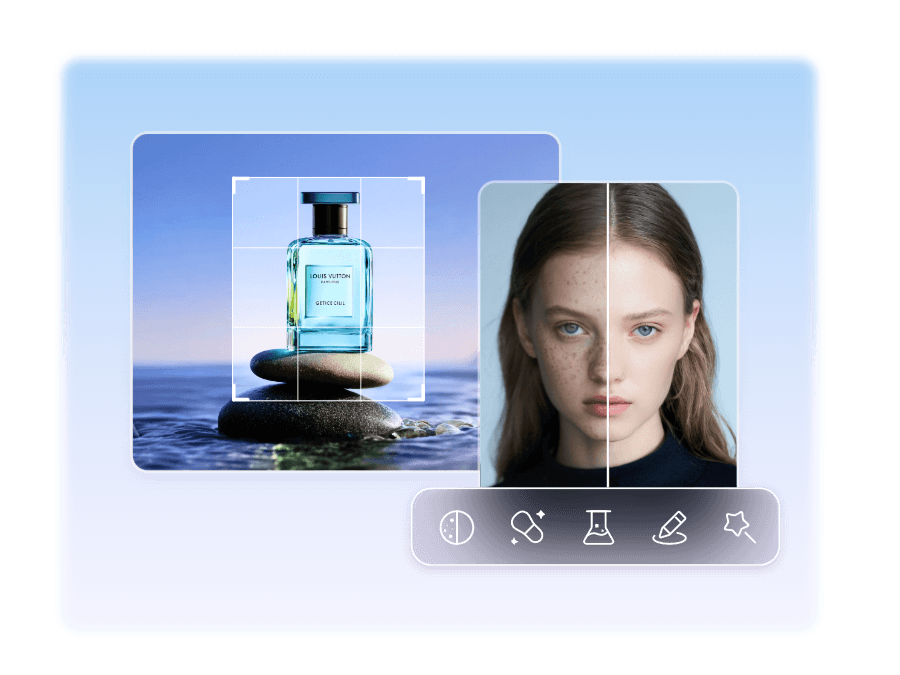
Free online image tools to resize, compress, convert, edit, and enhance your photos. Fast, simple, and easy to use with no software installation required.
Fast Processing
Under 30 seconds
Secure
Private & Safe

Transform your images with our advanced, tools designed for creativity and efficiency.
Transform images into pixelated art with customizable effects.
Generate professional profile photos with AI-enhanced customization.
Apply smooth background blur to emphasize subjects in photos.
Merge multiple images into a single composition seamlessly.
Effortlessly remove image backgrounds for clean, isolated subjects.
Boost image resolution with AI for sharp, high-quality results.
Add stylish borders to images for a polished, framed look.
Bring black-and-white photos to life with vibrant AI colorization.
Design professional charts and graphs from your data.
Create stunning photo collages with customizable layouts.
Trim images to perfect dimensions with easy-to-use controls.
Preview and analyze images with high-quality rendering.
Add personalized watermarks to secure your images.
Flip images horizontally or vertically with ease.
Divide images into multiple parts for creative or practical use.
Overlay custom text on images with flexible styling options.
Convert images to classic black-and-white for a timeless look.
Combine multiple images into a single canvas effortlessly.
Optimize image file size while maintaining visual quality.
Adjust image dimensions for any use case with precision.
Convert PDF pages to high-quality JPG images.
Convert JPG images into professional PDF documents.
Convert JPG images to PNG for transparency support.
Transform JPG images to WEBP for better compression.
Convert WEBP images to widely compatible JPG format.
Convert scalable SVG files to raster PNG images.
Convert PNG images to WEBP for optimized web use.
Transform PNG images to JPG for smaller file sizes.
Convert WEBP images to PNG for transparency support.
Convert animated GIFs to static JPG images.
Render text in custom fonts as PNG images.
Convert GIFs to PNG for frame-by-frame editing.
Convert ICO files to WEBP for modern web compatibility.
Convert ICO files to JPG for versatile image use.
Combine images into a single, shareable PDF document.
Extract text from images using advanced OCR technology.
Get professional results in three simple steps — no software download, no account required.
Drag and drop or click to upload any image from your device, Google Drive, or Dropbox. We support JPG, PNG, WEBP, GIF, SVG, PDF and more — up to 10MB for free.
Select from 40+ powerful tools — compress, resize, convert format, remove background, add text, crop, and much more. Adjust settings to match your exact needs with our real-time preview.
Your processed image is ready in seconds. Download it directly to your device in your preferred format. Your original files and processed results are automatically deleted from our servers after 24 hours.
Free Tools
Happy Users
Images Processed
Countries Served
Elevate your image editing with our cutting-edge tools, seamless interface, and top-notch quality. Trusted by thousands to bring visions to life.
AI-driven tools deliver professional results in seconds, maintaining high quality.
Comprehensive suite for AI enhancements, editing, and format conversions.
End-to-end encryption with images auto-deleted after 24 hours.
Fully responsive for desktops, tablets, and smartphones.
Sleek interface for effortless editing, ideal for all users.
Priority assistance from our dedicated team for quick solutions.
IT'S FREE, FAST, AND CONVENIENT!
Nearly images can find several formats. They vary from the most classic formats to the most unique formats which can only be opened by a few specialized software/editors.
Regardless of the nature and size of your image editing needs, it is a choice for editing an editable document to create digital graphics, then you can use our free editor.
Vector images use mathematical graphic editing software or a special vector-oriented desktop app or a web app. Vector graphics can represent unlimited resolution without a loss in quality.
Online Now
2,458+
Users Editing
Fast Processing
Under 30 seconds
Cloud Storage
Save & access anywhere
Thousands of creators, marketers, and businesses trust Snakeaimtool every day.
"Snakeaimtool's background remover is incredibly accurate. I use it daily for my e-commerce product photos — it saves me hours compared to doing it manually in Photoshop. The results are clean and professional every time."
Priya Sharma
E-commerce Seller, Mumbai
"The image compression tool is fantastic. I compressed my website's images by 70% with barely any quality loss. My page speed improved dramatically. This is a must-have tool for any web developer or blogger."
Ravi Kumar
Web Developer, Bangalore
"I needed a quick way to convert my client's product images from PNG to WEBP for better web performance. This tool made the whole batch conversion effortless. Clean interface, super fast, and completely free!"
Anjali Mehta
Digital Marketer, Delhi
Everything you need to know about image formats, editing best practices, and how to get the most out of your visuals.
Choosing the right image format is the foundation of great visual content. Each format has specific strengths, and using the wrong one can lead to unnecessarily large file sizes, quality loss, or compatibility issues.
Image compression is one of the most impactful optimizations you can make for website performance. Large images slow down page load times, hurt your Google PageSpeed score, and drive away visitors. Here's how to do it right:
For lossy compression (like JPEG), you can typically reduce quality to 70–85% without any visible difference to the human eye, while cutting file size by 50–70%. Our image compressor lets you control the quality slider precisely.
For lossless compression (like PNG), tools use clever algorithms to reduce file size while preserving every pixel. While the savings are smaller (typically 5–30%), the quality is completely preserved.
Pro Tip: Always compress images before uploading them to your website. Aim for images under 200KB for most use cases. For hero images, staying under 500KB is a good target.
Every platform has its own recommended image dimensions. Using the wrong size leads to cropped thumbnails, slow loading, or blurry visuals. Here are the most common size guidelines:
Square post: 1080×1080px
Story: 1080×1920px
Portrait:
1080×1350px
Cover photo: 820×312px
Post image: 1200×630px
Profile photo:
170×170px
YouTube
Thumbnail: 1280×720px
Channel art: 2560×1440px
Profile icon:
800×800px
Websites
Blog post: 1200×630px
Hero image: 1920×1080px
Thumbnail:
400×300px
Background removal is one of the most sought-after image editing tasks, used by e-commerce sellers, designers, and marketers. A clean, transparent background makes subjects pop and allows images to be placed on any background color or pattern.
Common use cases include product photography for online stores, professional headshots for LinkedIn and business profiles, logo assets that need to work on any background, and creating marketing materials and collages. Our AI-powered background remover handles complex edges like hair, fur, and intricate shapes with impressive accuracy.
Snakeaimtool was founded with a simple mission: to give every person — from freelancers and bloggers to marketers and business owners — access to professional-grade image editing tools for free, without any software to install or account to create.
Our team of experienced developers and designers has built a platform that handles the technical complexity so you don't have to. We process millions of images every month, constantly improving our algorithms and adding new tools based on user feedback.
100% browser-based — your images never leave your device for basic operations
All server-processed images are auto-deleted within 24 hours
No registration, no watermarks, no hidden fees — ever
Used by professionals across 150+ countries worldwide
256-bit SSL encryption protects all data transmissions
Most operations complete in under 30 seconds
Fully responsive on desktop, tablet, and mobile
Our team responds to queries within 24 hours